
Questions to Ask Before Hiring a Hotel Website Developer
A practical checklist of questions to ask before hiring a hotel website developer, covering automation, ownership, mobile, SEO, and timeline.
A hotel owner told us she’d hired a web developer after one 20-minute call and a nice-looking portfolio. Three months later, launch was six weeks late, the booking widget didn’t actually talk to her PMS, and nobody could tell her who owned the code if she ever wanted to leave. She’d asked plenty about price. She’d never asked the questions that would have caught any of that.
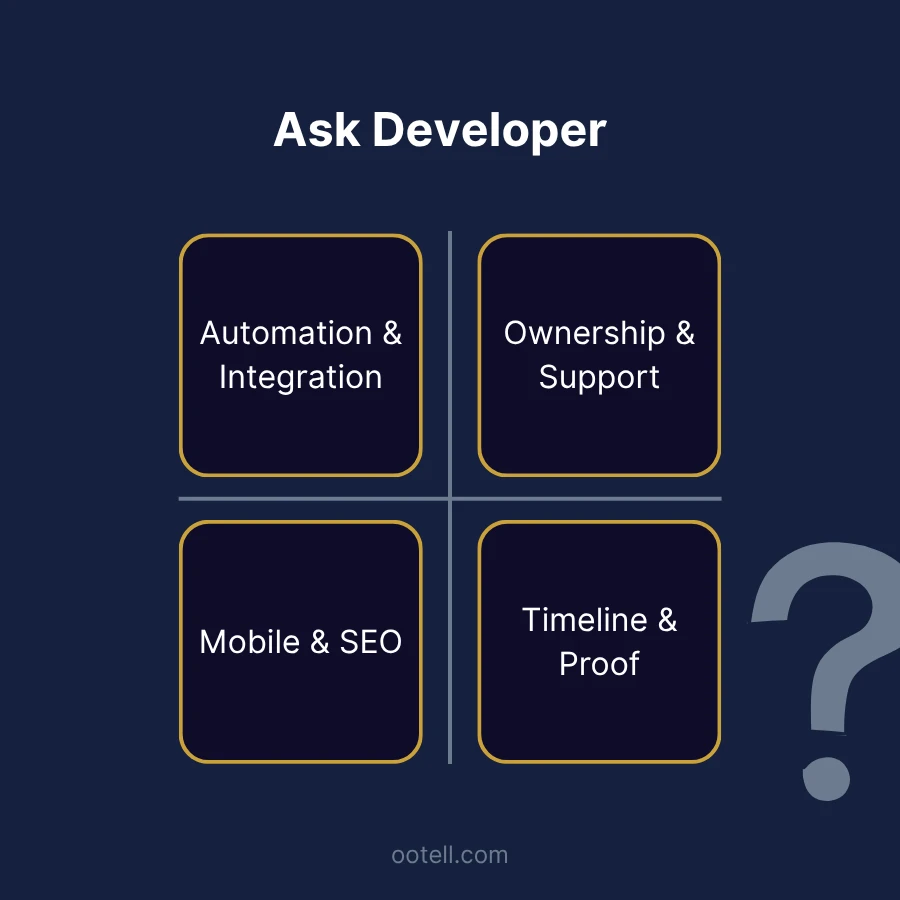
This is the checklist for that conversation - eight real questions, grouped into four areas, each with what a vague answer sounds like versus what a real one sounds like. Useful whether you’re briefing a vendor from scratch, sanity-checking a proposal that’s already on your desk, or still deciding whether a new site is worth it at all (if that’s you, hotel website conversion benchmarks is a better starting point than this one).
Automation and integration
How automated will the booking flow actually be?
“Custom” describes how a site looks, not how it works behind the scenes (see how much a custom hotel website costs for the full breakdown of that distinction). Ask the developer to walk through exactly what happens after a guest clicks “Book Now.” Can they see live availability? Select a room and pay online? Does the confirmed booking drop straight into your PMS, or does someone on your staff still have to re-key it?
Vague answer: “It’ll be fully custom, don’t worry.” Real answer: names the actual tier - a booking-request form with manual replies, a booking-engine widget with real-time rates, or a fully automated flow with two-way PMS sync - and tells you plainly which one you’re getting.
How does the booking flow integrate with our PMS and channel manager, specifically?
Your PMS (property management system - the software running day-to-day operations, reservations, and housekeeping) and channel manager (the tool that pushes your rates and availability out to OTAs and your own site so they stay in sync) each expose different APIs, permissions, and integration paths. This is the one question worth pressing hardest on, because integration gaps tend to surface late - after the contract’s signed, the design’s approved, and you’re weeks into development.
Vague answer: “Yes, we can connect to that.” Real answer: names the specific connection method, states plainly whether it’s a standard supported integration or custom connector work, and - if it’s the latter - prices it as its own line item instead of folding it into a general “custom build” number.
Ownership and support
Who owns the design and code after launch?
Some vendors build on a proprietary platform you can’t leave without a rebuild; others hand over a site you fully own, source code included. Neither model is automatically wrong - but you should know which one you’re signing up for before launch, not after a disagreement. Ask specifically who owns the design, source code, content, domain, and hosting account, and make sure the answer ends up in the contract, not just something you were told on a call.
What does post-launch support actually include?
“We offer ongoing support” can mean anything from free bug fixes for 30 days to a full monitoring-and-maintenance retainer. Ask what’s included, what costs extra, whether anyone is actively watching the booking integration, and how fast someone responds if the booking flow goes down. If there’s a monthly plan, get the real number - ongoing maintenance typically runs $50-$500/month depending on scope (see the full breakdown of what’s usually priced separately). The figure itself matters less than whether you actually understand what it buys you.
Mobile and SEO
Is the booking flow actually mobile-first, not just “responsive”?
Responsive means the layout resizes to fit a smaller screen. Mobile-first means the booking experience was designed around how someone actually uses a phone - tap-target sizing, date-picker behavior, form length, load time on a real connection. See mobile booking best practices for the full list of what a real answer should cover.
Then test it yourself rather than taking the answer at face value: pull up one of the developer’s live hotel sites on your own phone, try to book a room one-handed, and see how far you get before something feels clumsy. A homepage screenshot tells you nothing about whether the booking flow survived contact with a phone.
How is SEO and site structure handled - built in, or bolted on after launch?
Page structure, URLs, schema markup, and performance budgets are far cheaper to get right from day one than to retrofit later. This matters most when you’re replacing an existing site: your current pages likely already carry search rankings and inbound links, and a redesign that ignores redirects can quietly erase traffic that took years to build. Ask specifically how existing URLs will be mapped to new ones, and whether technical SEO is part of the build itself or something you’re expected to hire out separately afterward (see the SEO and structure section of the redesign checklist for specifics).
Vague answer: “We’ll do SEO.” Real answer: describes a redirect-mapping plan and names who owns technical SEO during the build.
Timeline and proof
What’s the realistic timeline, and what usually causes it to slip?
A real custom hotel website build typically runs 10-16 weeks end to end - planning, content, design, development, integrations, and testing (Arramton, 2026). Ask the developer to walk through those phases, then ask what normally makes their projects run long. A developer worth hiring has a real answer - content delays, revision rounds, an integration that turned out messier than expected - because they’ve hit it before. A quote dramatically shorter than that range isn’t a sign of efficiency; it’s usually a sign a phase got left out.
Can you see a real, live example of a property like ours?
A live site is a far better test than a portfolio full of polished screenshots. Open it on your phone, run through the actual booking flow, and check page speed and behavior across a couple of screen sizes. Screenshots show you the visual design; a live site shows you what happened once that design had to work with a real booking engine. If a developer can’t show you one, there can be a legitimate reason - client confidentiality is common - but it’s still worth asking directly.
The eight questions, at a glance
- How automated will the booking flow actually be?
- How does it integrate with our specific PMS and channel manager?
- Who owns the design and code after launch?
- What does post-launch support actually include?
- Is the booking flow actually mobile-first?
- Is SEO and site structure built in, or bolted on after launch?
- What’s the realistic timeline, and what usually causes it to slip?
- Can we see a live example of a property like ours?
If a proposal you’re reviewing answers all eight of these clearly and in writing, that’s a genuinely good sign, whoever you end up hiring. If you’d rather just ask us these questions directly, start the conversation - 15 minutes, no obligation.
Build Greatness! 🍀
Michael
Frequently asked questions
- How many questions should I actually ask before hiring a hotel website developer?
- There's no fixed number - what matters is covering four areas: how automated the booking flow will actually be, who owns the result, whether mobile and SEO are built in or bolted on, and whether the timeline and portfolio hold up to scrutiny. A vendor who answers all four clearly, in writing, is a good sign regardless of exactly how many questions it took.
- What's the single biggest red flag when vetting a hotel website developer?
- A vague answer about PMS or channel-manager integration. 'Yes, we can connect to that' without naming the specific method (a supported connector vs. custom engineering work) usually means the vendor hasn't actually scoped it yet - and that gap tends to surface late, after the contract is signed.
- Should I ask to see a live example, not just portfolio screenshots?
- Yes. A live site lets you check real load speed, mobile booking flow, and whether the design decisions in the screenshots actually survived contact with a real booking engine. Screenshots can hide a slow or broken booking flow behind a good-looking homepage.