Signs Your Hotel Website Is Losing Bookings
Seven checkable signs your hotel website is costing you direct bookings, from redirect widgets to rate mismatches, and what fixed actually looks like.
Most hotel websites don’t fail loudly. Nobody sees an error message - guests just leave, quietly, somewhere between landing on the site and completing a booking. This is a checklist for finding where that’s happening on your own site. Check each item against your property directly; if two or more sound familiar, that’s usually enough signal to act on. If you’d rather start with a number than a checklist, see what a healthy hotel website conversion rate actually looks like first.
A few terms come up throughout this checklist, so in plain terms:
PMS: the software a hotel uses to manage reservations, room status, and guest information day to day. Short for property management system.
Channel manager: the tool that syncs your rates and room availability across every OTA and booking channel you use, so you don't have to update each one by hand.
Core Web Vitals: Google's own measurements of how fast and smooth a website feels to a real visitor, like how quickly the page becomes usable.
Your booking flow leaves your site
If clicking “Book Now” takes a guest to a completely different-looking page (a generic booking engine widget with different fonts, colors, and no trace of your property’s branding) that’s a trust break at the exact moment you need the most trust. Guests who were confident enough to start booking suddenly land somewhere that doesn’t look like the site they were just on, and a share of them will second-guess themselves and leave, or go check the same room on Booking.com instead, where at least the process feels consistent.
What fixed looks like: the booking flow stays on your domain, in your site’s own design, even if a third-party booking engine is doing the work behind the scenes. The guest never has a moment of “wait, is this still the right site?”
Your site isn’t mobile-first
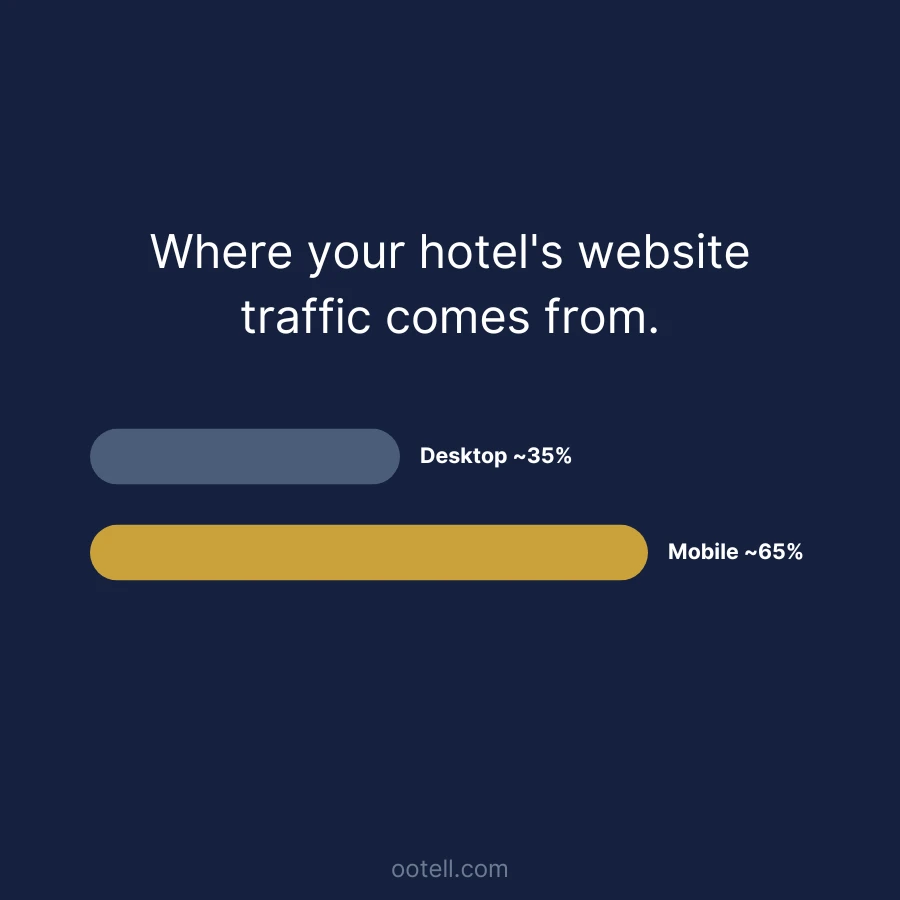
Mobile devices account for roughly 60-70% of hotel website traffic today, and that share keeps growing (Statista). A site that was designed on a desktop screen and then just “shrinks down” for mobile isn’t the same as a site built mobile-first - the difference shows up in cramped date pickers, tiny tap targets, and forms that require more zooming and scrolling than they should.
What fixed looks like: the booking flow was designed for a thumb on a small screen first, then scaled up - not the other way around. We cover the specific fixes in mobile booking best practices.
Rates don’t match your PMS or channel manager
If a guest sees one price or availability on your website and a different one when they actually try to book (or worse, books a room that turns out not to be available) that’s a sync problem between your website and your PMS/channel manager, not a booking-flow design problem. It’s one of the fastest ways to lose trust, because it looks like your business doesn’t have its own numbers straight.
What fixed looks like: your website reads live availability and rate data directly from your PMS or channel manager, not a manually updated calendar that drifts out of sync.
You don’t show price parity with OTAs
Rate parity, keeping the same price for the same room across your own website and every OTA you list on, is a standard practice across the industry (NetSuite). If a guest can find your room cheaper on Booking.com than on your own site, you’ve just handed them a reason to book through the OTA and pay the commission on that reservation instead of keeping it direct. Even if your prices are technically at parity, if your site doesn’t make that clear (no best-rate guarantee, no visible reason to book direct), guests will assume the OTA is safer or cheaper by default.
What fixed looks like: your direct rate is at parity or better, and your site actually says so - a simple best-rate or price-match statement near the booking flow, not just true pricing nobody’s told about.
Your design doesn’t differentiate the property
A lot of independent hotel websites, especially ones built on generic templates, end up looking interchangeable: stock-feeling photography, the same layout patterns as a hundred other properties, no clear sense of what makes staying at yours different from the place down the road. Guests comparing several options in open tabs need a reason to pick yours specifically - a website that could belong to any hotel doesn’t give them one.
What fixed looks like: real photography of your actual property, and a homepage that leads with whatever genuinely differentiates you (location, character, amenities, story) instead of generic hospitality stock phrasing.
Your site is slow
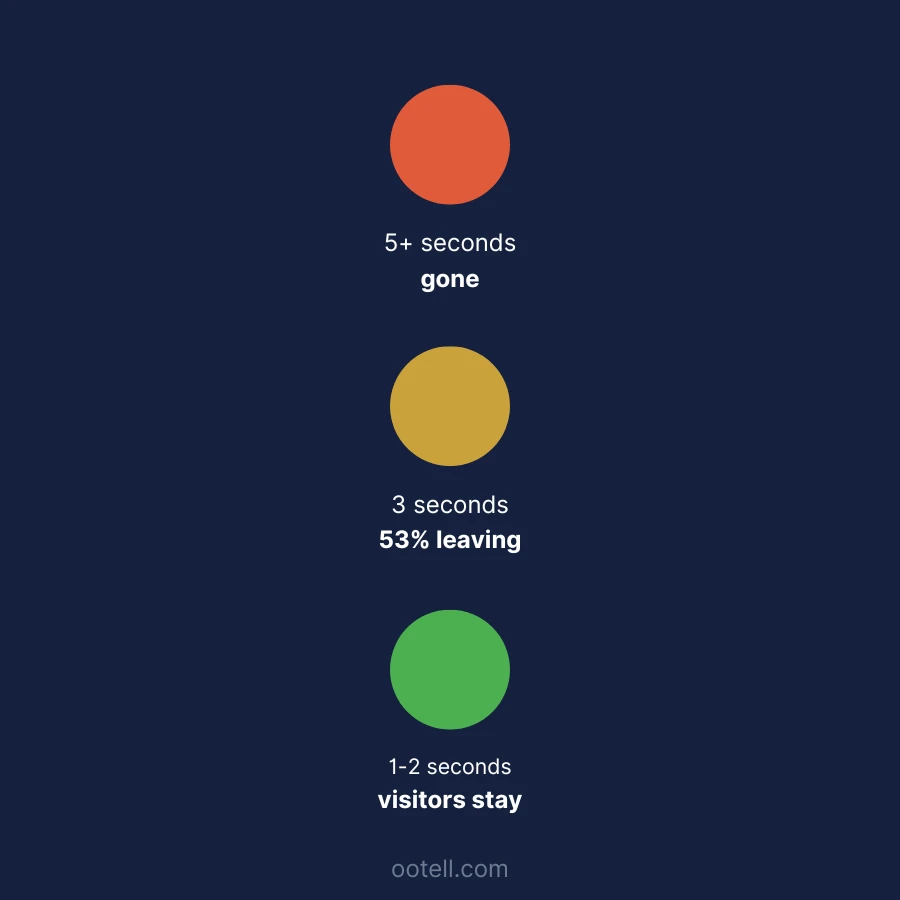
Page speed isn’t just a technical detail - it directly affects whether a visitor sticks around long enough to book. Google’s own mobile research found that 53% of mobile visitors abandon a site that takes longer than 3 seconds to load (Think with Google), and Google’s Core Web Vitals program sets the “good” bar for real-user loading speed at under 2.5 seconds for Largest Contentful Paint (web.dev). A site that takes 5-6 seconds to load on a phone, common with unoptimized hero images and heavy booking widgets, is losing a real share of visitors before they ever reach the booking form.
What fixed looks like: your homepage and booking pages load in under 2.5 seconds on a typical mobile connection, not just on the office wifi you tested it on.
You’re not capturing guest data at booking
If your booking flow doesn’t collect a guest’s email (beyond whatever the payment processor needs), you’re losing the ability to reach that guest again - for a pre-arrival message, a post-stay review request, or a direct offer next time they’re planning a trip. That’s not a booking-conversion problem on its own, but it compounds: every guest who books without leaving contact info is one you can only reach again through an OTA or luck.
What fixed looks like: guest email capture built into the booking flow itself, connected to whatever CRM or guest-messaging tool you use for pre-arrival and post-stay communication.
What to do if two or more sound familiar
None of these individually means your website is a lost cause - most hotel websites have at least one of them. But if you’re checking off several, especially the booking-flow redirect and the mobile-first item together, that’s usually a sign the underlying site is dated rather than one fixable piece. The redesign checklist covers what to actually scope if you get to that point.
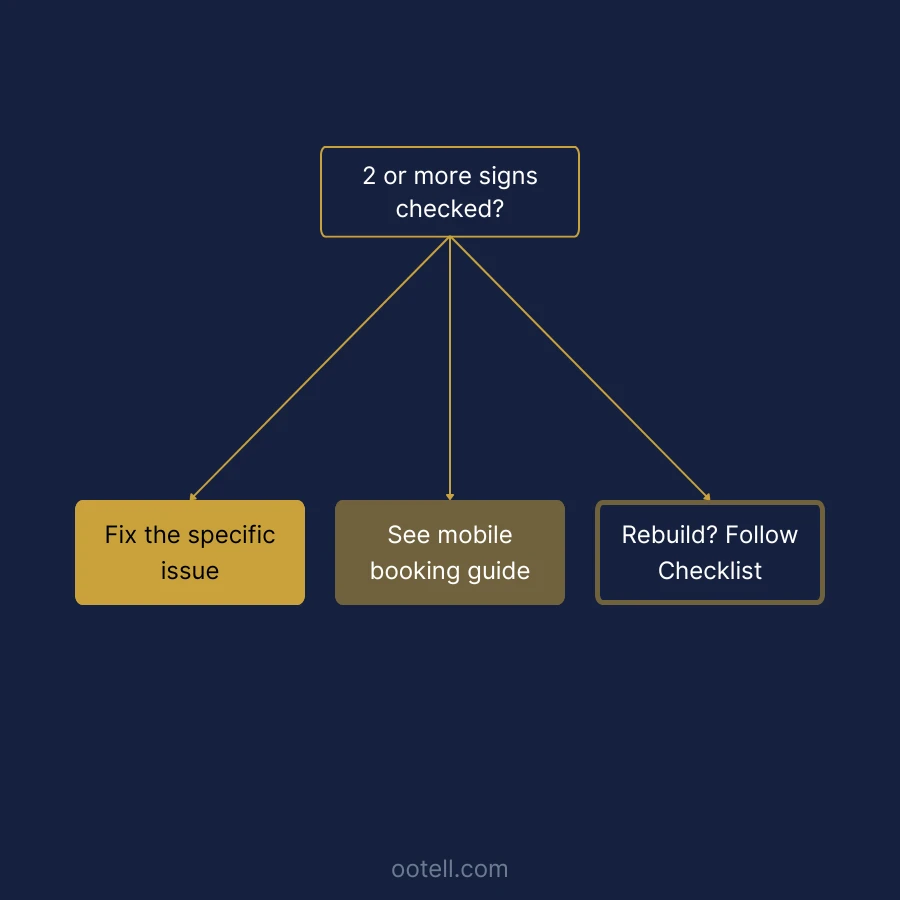
If you’ve gone through this list and want a second opinion on what’s fixable versus what points to a bigger rebuild, let’s talk - fifteen minutes, no obligation.
Build Greatness! 🍀
Michael
Frequently asked questions
- How many of these signs mean I need a full redesign?
- There's no fixed number, but two or more is worth a real conversation, especially if one of them is the booking flow leaving your site or a mismatch with mobile design. A single issue (like a slow-loading image) might be a quick fix; several at once usually points to the whole site being dated rather than one broken piece.
- Can I fix these one at a time instead of redesigning the whole site?
- Some of them, yes - rate sync and price parity are often a channel-manager configuration issue, not a design one. Others (mobile-first booking flow, differentiation, guest-data capture) are structural and hard to bolt onto an existing template. See the redesign checklist for what a full scope looks like if you get there.
- What's the single most common cause of lost bookings on hotel websites?
- A booking flow that redirects to a third-party widget that looks nothing like the hotel, combined with that widget not being designed mobile-first. Together they account for the largest share of drop-off we see, since most hotel website traffic is now on phones.